





Helldivers 2 Automaton Terminal Puzzle Explained (Compromise Defenses Guide)

While spreading Managed Democracy across hostile worlds in Helldivers 2, not every objective can be solved with firepower alone. When fighting the Automatons, squads may encounter a side objective called Compromise Automaton Defenses, which requires players to bypass a heavily encrypted terminal using the enemy’s own symbolic language.
At first glance, this terminal puzzle can feel overwhelming—especially when patrols are closing in and your teammates are shouting for backup. Fortunately, once you understand how the puzzle works, it becomes one of the fastest and safest Automaton side objectives to clear. This guide explains exactly how the Automaton terminal puzzle works, how to solve it quickly, and how to avoid common mistakes.
Table of Contents
- 1 What Is the Compromise Automaton Defenses Objective?
- 2 Understanding the Automaton Terminal Interface
- 3 The Core Rule of the Puzzle
- 4 Step-by-Step: How to Solve the Automaton Terminal Puzzle
- 5 Example Breakdown
- 6 Common Mistakes to Avoid
- 7 Best Practices for High-Difficulty Missions
- 8 Is the Puzzle Randomized?
- 9 Want to Skip the Stress on Higher Difficulties?
- 10 Final Tips
What Is the Compromise Automaton Defenses Objective?
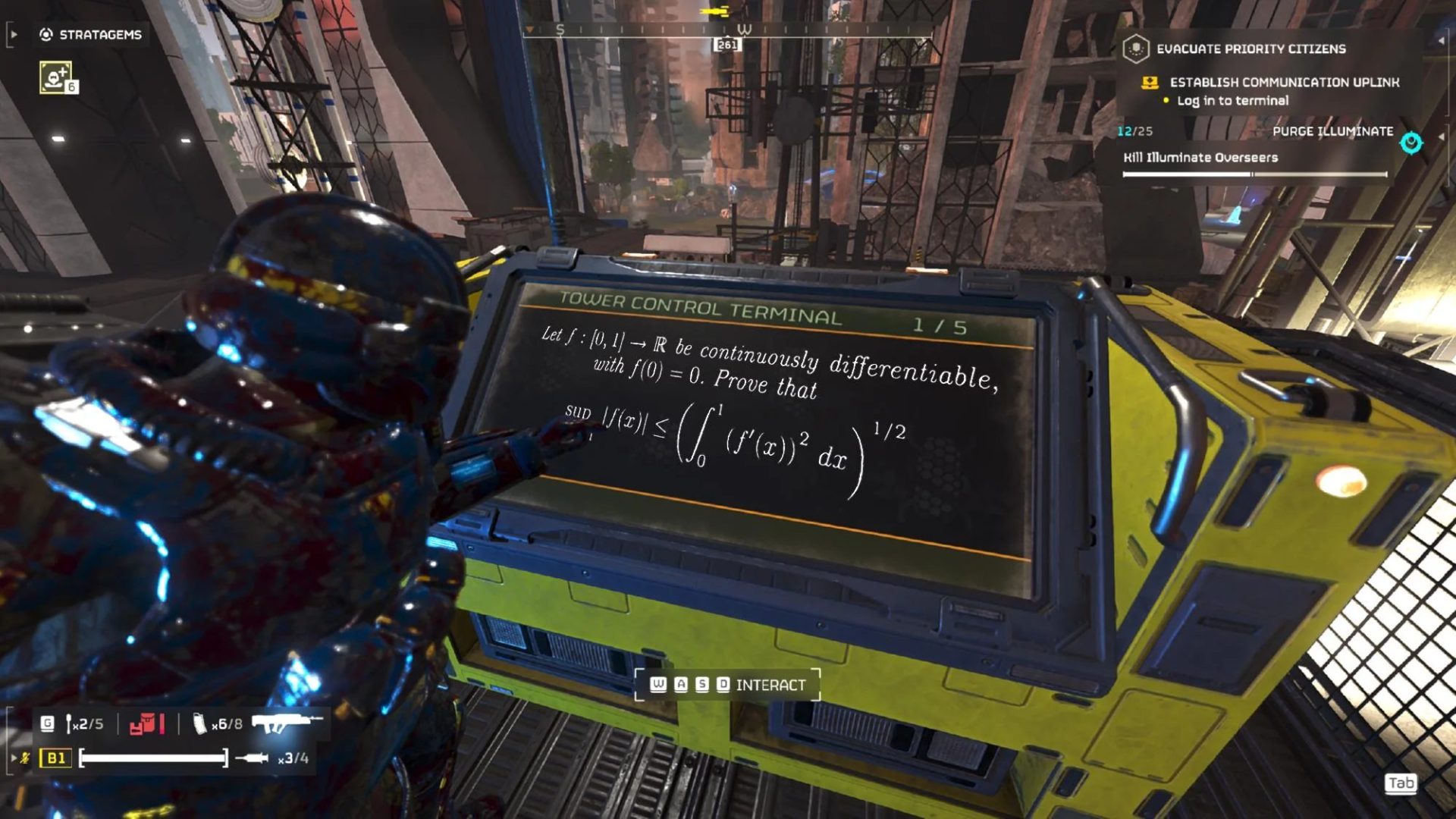
Compromise Automaton Defenses is a side objective that appears only in Automaton-controlled missions. Completing it weakens enemy defenses in the area, making nearby objectives significantly easier.
Instead of calling down a Hellbomb or destroying a structure, Helldivers must:
-
Interact with an Automaton terminal
-
Decode a symbolic grid-based puzzle
-
Successfully match the required pattern to bypass security
Failing the puzzle doesn’t immediately end the objective, but it wastes time—and time is often the most valuable resource on higher difficulties.
Understanding the Automaton Terminal Interface
When you access the terminal, you’ll see two main sections:
-
Left side: An editable grid of symbols arranged in rows and columns
-
Right side: A reference pattern showing where specific symbols must appear
The puzzle is solved when the left grid exactly matches the symbol layout shown on the right, ignoring any blank spaces.
Key Controls
-
Up / Down (D-Pad or keys): Cycles symbols within the currently selected column
-
Left / Right: Switches between columns
-
Highlighted column: Shown in red, indicating which column you’re currently editing
Only one column can be adjusted at a time, so precision matters.
The Core Rule of the Puzzle
The most important thing to understand is this:
👉 Every symbol must match both its row and column position exactly as shown on the right-hand reference image.
Blank spaces do not matter. Only focus on:
-
Which symbol appears
-
Which row it is in
-
Which column it belongs to
If even one symbol is misplaced, the terminal will not unlock.
Step-by-Step: How to Solve the Automaton Terminal Puzzle
Step 1: Scan the Reference Pattern First
Before touching any controls, carefully look at the right-hand image. Note:
-
How many symbols are present
-
Which rows they occupy
-
Which columns they appear in
Mentally map these positions before making changes.
Step 2: Select One Column at a Time
Use the Left and Right controls to highlight a column in red. Work column-by-column instead of trying to fix everything at once—this reduces errors.
Step 3: Match Symbols Vertically
Once a column is selected:
-
Use Up / Down to cycle symbols in that column
-
Ignore empty rows
-
Focus on matching the exact symbol in the correct row
If the reference image shows a symbol in Row 3, Column 2, make sure that same symbol appears in that exact position on the left grid.
Step 4: Confirm and Move On
After matching one column:
-
Double-check alignment
-
Move to the next column
-
Repeat the process
When all symbols are correctly placed, the grid will highlight, and the terminal will unlock automatically.
Example Breakdown
If the reference image shows:
-
A symbol in Row 1, Column 2
-
Another symbol in Row 4, Column 5
Then:
-
Select Column 2 and cycle symbols until Row 1 matches
-
Select Column 5 and adjust until Row 4 matches
Continue until every visible symbol lines up. The order you solve columns in does not matter.
Common Mistakes to Avoid
❌ Focusing on blank spaces
Blank rows are irrelevant—don’t try to “clear” them.
❌ Rushing under pressure
It’s better to take five calm seconds than panic while Automatons close in.
❌ Switching columns too often
Finish one column before moving on to avoid misalignment.
❌ Overthinking it
This is a positional matching puzzle, not a logic or sequence challenge.
Best Practices for High-Difficulty Missions
-
Have one player solve the terminal while others provide cover
-
Clear nearby patrols before interacting with the terminal
-
Use smoke or defensive Stratagems if under fire
-
Communicate before starting the puzzle
On higher difficulties, a failed or delayed puzzle can spiral into a full Automaton reinforcement wave.
Is the Puzzle Randomized?
Yes, the symbol positions change each time, but the rules never change. Once you understand the mechanic, every version of the puzzle is solved the same way.
This consistency is what makes the objective easy once learned—and punishing only the first few times.
Want to Skip the Stress on Higher Difficulties?
On Helldive or higher operations, even small delays can cost reinforcements or entire missions. Many squads use Helldivers 2 Boosting at GladiatorBoost to handle difficult objectives, Automaton missions, or high-risk operations efficiently. It’s a solid option if you want consistent clears, faster progression, or help during intense Automaton campaigns.
Final Tips
-
Ignore blanks, match symbols only
-
Work column by column
-
Stay calm and methodical
-
Communicate with your squad
Once you’ve solved it a few times, the Automaton terminal puzzle becomes one of the easiest side objectives in Helldivers 2—and another victory for Super Earth.
Related Guides
ARC Raiders Red Coral Jewelry Farming Guide: Best Locations and Fastest Loot Routes

Best Early Cars in Forza Horizon 6: Fastest Budget Unlocks for New Players

Forza Horizon 6 House Locations Guide: Every Home, Price, Perk, and Unlock Requirement
Black Ops 7 Zombies Wonder Weapons Ranked: The Ultimate Tier List