






Keeping your equipment and base in good condition is essential for long-term progression in Soulmask. Whether you’re exploring dangerous areas, defending your base, or fighting bosses, damaged gear can quickly become a serious problem.
In this complete guide, you’ll learn how to repair items in Soulmask, how to unlock the Repair Bench, repair buildings, automate repairs, and optimize your repair workflow.
Table of Contents
- 1 How Repairing Works in Soulmask
- 2 Repairing Equipment from Inventory
- 3 How to Unlock the Repair Bench in Soulmask
- 4 How to Use the Repair Bench
- 5 Can You Automate Repairs in Soulmask?
- 6 How to Repair Buildings in Soulmask
- 7 How to Craft Construction Hammer
- 8 How to Repair Base Structures
- 9 How to Repair Boats in Soulmask
- 10 Best Repair Strategy for Mid & Late Game
- 11 Why Repairing Is Important in Soulmask
- 12 Common Repair Mistakes to Avoid
- 13 Best Repair Materials to Stockpile
- 14 Repair Tips for Large Tribes
- 15 FAQ — Repairing in Soulmask
- 16 Final Thoughts
How Repairing Works in Soulmask
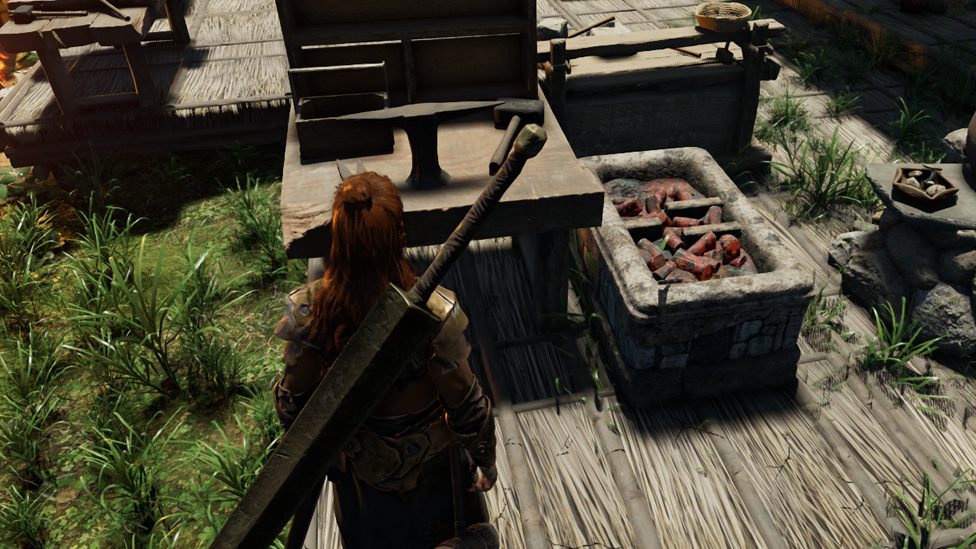
Repairing in Soulmask can be done in three main ways:
- Repairing directly from your inventory
- Using the Repair Bench
- Repairing structures with the Construction Hammer
Each method is used for different situations and types of equipment.
Understanding when to use each repair method will save you time, resources, and frustration.
Repairing Equipment from Inventory
The simplest way to repair gear in Soulmask is directly from your inventory. This method works best for early-game gear such as:
- Wooden tools
- Stone weapons
- Bone equipment
- Basic armor
How to Repair Items from Inventory
Follow these steps:
- Open your inventory
- Right-click the damaged item
- Select Repair
- Ensure you have required materials
If you are within your Bonfire range, the game automatically pulls materials from nearby storage containers. This means you don’t need to manually move resources into your inventory.
This makes inventory repair especially useful during early progression.
However, as you move into mid and late game, this method becomes less efficient. Higher-tier gear often requires the Repair Bench.
Players focusing on fast progression often combine efficient repair strategies with Soulmask boosting to reduce downtime and maintain gear durability during extended gameplay sessions.
How to Unlock the Repair Bench in Soulmask
The Repair Bench is the best long-term repair solution in Soulmask. It allows you to repair multiple items at once and manage tribe gear more efficiently.
How to Unlock Repair Bench
To unlock the Repair Bench:
- Open the Tech Tree
- Navigate to Medium Craftsmanship
- Unlock the Repair Bench node
- Craft the Repair Bench at your base
Once built, the Repair Bench becomes your central repair hub.
How to Use the Repair Bench
Using the Repair Bench is simple and efficient.
Steps to Repair Gear Using Repair Bench
- Interact with the Repair Bench
- Place damaged gear into the repair grid
- Click Repair
- Items repair automatically
The Repair Bench repairs items one at a time, using the required materials.
This method is especially useful when managing:
- Multiple weapons
- Armor sets
- Tribe equipment
- Backup gear
This becomes increasingly important during late-game content, especially when preparing for boss fights. Many players use Soulmask Boss Defeat Boost services to progress faster through difficult encounters, making reliable repair systems even more essential.
Can You Automate Repairs in Soulmask?
Repair automation in Soulmask is partially possible but requires setup.
How to Attempt Repair Automation
To automate repairs:
- Open Repair Bench menu
- Click the Plus icon to create Auto Repair Plan
- Assign a tribesman
- Configure storage boxes
- Disable auto-store if necessary
Some players report that tribesmen repair gear automatically, while others find the system inconsistent.
Tips for Repair Automation
- Assign a dedicated repair tribesman
- Use storage boxes for broken gear
- Keep materials nearby
- Test automation regularly
Repair automation becomes extremely useful when managing large tribes.
If you’re building large automated bases, many players combine this system with Soulmask base building boost to optimize base workflow and tribe efficiency.
How to Repair Buildings in Soulmask
Your base will eventually take damage from:
- Enemy attacks
- Base invasions
- Environmental damage
- PvP raids
To repair buildings, you’ll need a Construction Hammer.
How to Craft Construction Hammer
To unlock the Construction Hammer:
- Open Tech Tree
- Navigate to Medium Building
- Unlock Construction Hammer
- Craft the hammer
Once crafted, equip it to begin repairing structures.
How to Repair Base Structures
Follow these steps:
- Equip Construction Hammer
- Look at damaged structure
- Check structure health
- Click Left Mouse Button
- Consume required materials
The game automatically pulls materials from nearby storage if you’re within base range.
This makes repairing large bases much easier.
How to Repair Boats in Soulmask
If you’re playing on certain maps like Shifting Sands, you’ll also need to repair boats.
Boat repairs work the same way as buildings:
- Equip Construction Hammer
- Target damaged section
- Repair using materials
Keeping boats repaired is essential for exploration and resource gathering.
Best Repair Strategy for Mid & Late Game
For optimal efficiency, use this repair setup:
Recommended Repair Setup
- 1 Repair Bench
- 1 Dedicated repair tribesman
- Storage box for broken gear
- Nearby material storage
This setup ensures minimal downtime.
Why Repairing Is Important in Soulmask
Repairing isn’t just about durability — it’s about efficiency.
Benefits of Regular Repairs
- Maintain combat effectiveness
- Prevent gear breakage
- Improve tribe productivity
- Reduce crafting costs
- Avoid sudden gear failure
This is especially important during difficult areas and boss fights.
Common Repair Mistakes to Avoid
Ignoring Repair Bench
Many players rely only on inventory repairs. This becomes inefficient later.
Not Assigning Repair NPC
Manual repair becomes time-consuming with larger tribes.
Poor Storage Organization
Keep repair materials nearby to speed up repairs.
Best Repair Materials to Stockpile
To avoid downtime, keep these materials ready:
- Wood
- Stone
- Metal
- Leather
- Crafting components
Stockpiling reduces interruptions during gameplay.
Repair Tips for Large Tribes
Managing large tribes requires careful planning.
Tribe Repair Tips
- Assign dedicated repair NPC
- Create repair storage area
- Monitor gear durability
- Repair regularly
These steps prevent productivity loss.
FAQ — Repairing in Soulmask
Can you repair items without a Repair Bench?
Yes. You can repair basic gear from your inventory if you have materials.
Is Repair Bench necessary?
Not early game, but it’s highly recommended for mid and late game.
Can tribesmen repair gear automatically?
Sometimes. You need to configure auto-repair plans and assign NPCs.
How do I repair buildings?
Use a Construction Hammer and repair damaged structures.
Do materials need to be in inventory?
No. Materials can be pulled from nearby storage.
Final Thoughts
Repairing gear and structures in Soulmask is a core gameplay mechanic that becomes increasingly important as you progress. By unlocking the Repair Bench, automating repairs, and maintaining your base properly, you’ll ensure smoother gameplay and faster progression.
Efficient repair management is especially valuable when preparing for difficult content, defending your base, or managing large tribes.
Mastering repair systems will significantly improve your Soulmask experience.
Related Guides

Best Ash Salt Cookie Build in Cookie Run Kingdom (2026 Guide)

Best Timekeeper Cookie Build in Cookie Run Kingdom (2026 Guide)

Diablo 4 Litany of Sable Guide (2026) – Best Farming Methods and Build Uses

Diablo 4 Spine of Tathamet Farming Guide (2026)